Getting Started
Requirements
- A computer running Windows 10 or higher
- A dedicated GPU capable of DX12
Installation
- Install the Meta Quest Link desktop app.
- Install Orion Drift from the Library tab.
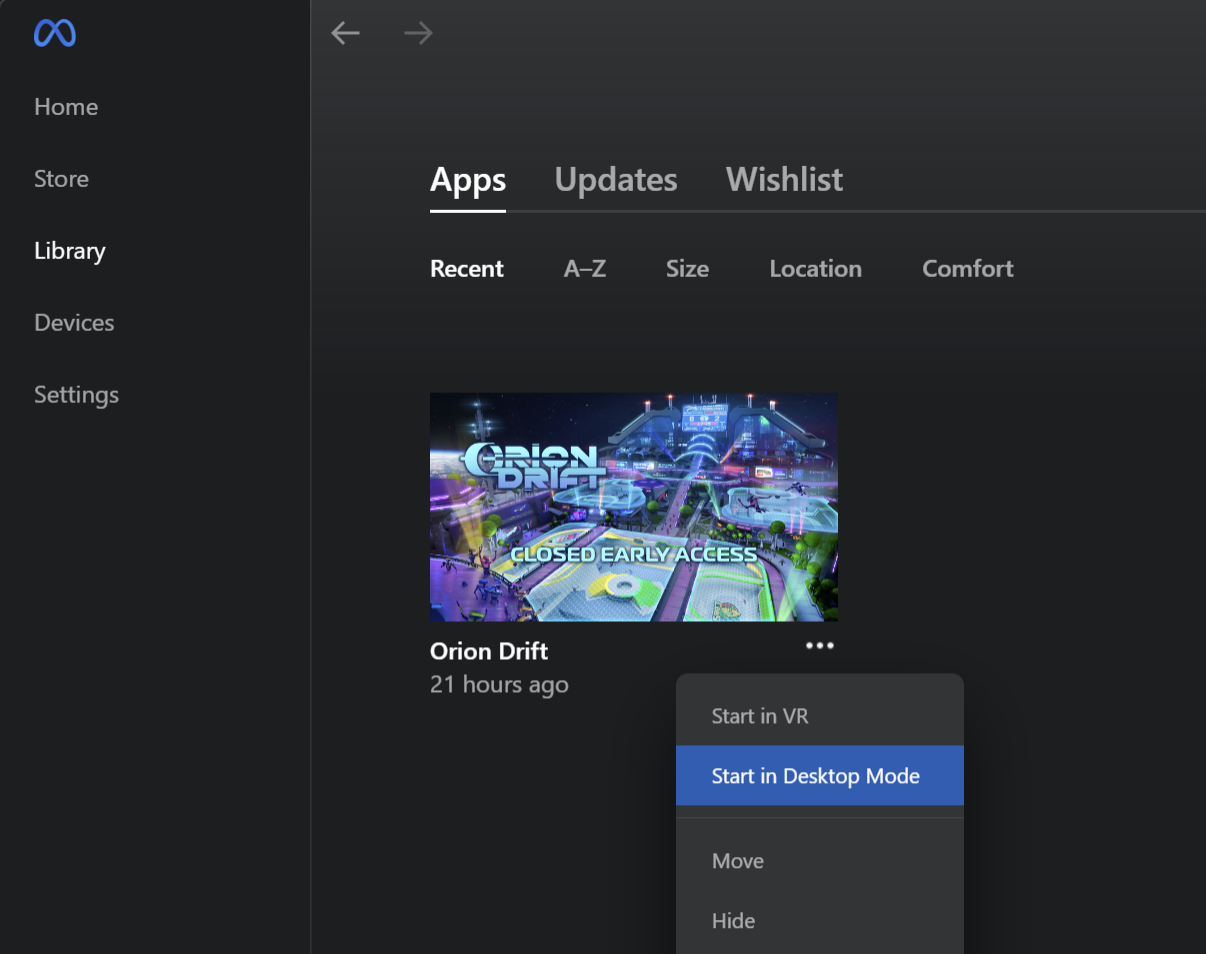
- To launch, select the 3 dots next to the app in your library, and click "Start in Desktop Mode":
Usage
The GUI for spectator client is hidden by default, but can be toggled with F1. Once activated, a menu bar will appear at the top with options to open various panels:

Using the Default Cameras
Upon entering spectator, the default freecam (anotheraxiom.freecam) is activated. You can switch to other cameras using the Cameras panel (under Spectator > Cameras or press F2), or by pressing their associated keybind. You can also use this panel to adjust the keybind for any camera.
What's next?
- Check out the Getting Started with Scripting guide to learn how to extend the spectator client with your own custom cameras.
- Check out the Replays page to learn out to use the replay system.